For any stack
AlignFirst Skills
Develop with a clear flow: spec → plans → execution. Shared work files keep the team aligned.
/alspec→/alplan→executeSoftware engineering tools built for 2026
Three independent tools and a teammate.
Develop with a clear flow: spec → plans → execution. Shared work files keep the team aligned.
/alspec→/alplan→executeIsolated dev-servers in Git worktrees, without changing your tools.
~/project$ npx alignfirst workspace setup --full✓ branch ✓ worktree ✓ dev setup preparedA table of contents for the documentation available to your coding agents.
docs/permissions/↳ adding-a-permission.md↳ permission-model.mdAn assistant that drives Claude Code or Codex for you, in your own session or as an OpenClaw bot in Slack or Discord.
You↔Assistant↔AgentsCreate an isolated place for each task.
This configured Node project example uses npx alignfirst workspace setup --full to prepare the branch, worktree and dev setup. npx alignfirst dev checks that setup before starting services. Logs stay in the terminal and in files the coding agent can read.
dev@laptop:~/repos/hello-world$ npx alignfirst workspace setup -c ABC-1234/new-permission --full
Workspace setup complete!
Worktree type: linked
Status: pending
Workspace: hello-world-ABC-1234-new-permission
Branch: ABC-1234/new-permission
Path: ~/repos/hello-world-ABC-1234-new-permission
Start the dev server with: npx alignfirst dev
WORKSPACE_CREATED path=~/repos/hello-world-ABC-1234-new-permission
branch=ABC-1234/new-permission
Finalizing… (0s) — tail: ~/repos/hello-world-ABC-1234-new-permission/.local-wt/logs/workspace-setup.log
… ready
dev@laptop:~/repos/hello-world$ cd ../hello-world-ABC-1234-new-permission/
dev@laptop:~/repos/hello-world-ABC-1234-new-permission$ npx alignfirst dev
Starting docker dev server...
[+] Running 2/2
✔ Container hello-world-ABC-1234-new-permission-database Running 0.0s
✔ Container hello-world-ABC-1234-new-permission-mailpit Running 0.0s
Starting api dev server...
Starting frontend dev server...
[api] > tsx watch --clear-screen=false src/main.ts
[frontend] > vite --port 18110
[frontend] VITE v7.1.5 ready in 486 ms
[frontend] ➜ Local: http://localhost:18110/
[frontend] ➜ Network: use --host to expose
[api] Connected to postgres://localhost:18112/hello_world
[api] Applied 0 pending migrations
[api] Listening on http://localhost:18111
[api] ✔ TSC Initializing type checker...
[api] > TSC Found 0 issues.
Dev servers started! (workspace: hello-world-ABC-1234-new-permission)
Open:
autologin: http://localhost:18110/auth/local?email=admin@test.dev
Details:
frontend: http://localhost:18110/ log: .local-wt/logs/frontend.log
api: http://localhost:18111/ log: .local-wt/logs/api.log
database: localhost:18112/hello_world log: docker compose logs -f database
Ready to run the setup.
Learn the workflow: you drive the coding agent, one step at a time.
At the core is the spec → plans → execution workflow. This lesson shows how to use /alspec and /alplan.
Other AlignFirst skills are simple and effective. Resolve merge conflicts with /almerge, perform code reviews with /alreview, prepare PR/MR descriptions with /aldescription, load the current task context with /alcatchup, and handle small implementations with /al.
Learn the workflow: you drive the coding agent, one step at a time.
.plans/ABC-1234/A1-spec.mdA2-main-plan.mdA2-main-plan.summary.mdA3-plan-api.mdA3-plan-api.summary.mdA4-plan-frontend.mdA4-plan-frontend.summary.mdShared with the team. Work files can be synced to a plans repository, so anyone can catch up.
Session cleared
/alspec with the feature. The agent asks until every topic is settled, then writes the spec./alplan turns the spec into plans.Our main workflow Spec Plans Execution
The agent discovers the documentation structure, then reads the relevant files.
Docmap’s whole footprint in your project is one section of AGENTS.md (or CLAUDE.md).
AGENTS.md
## Docmap - Seek Documentation
At the start of the session, before any investigation or code exploration, run `npx -y alignfirst docmap`. Then read the documentation relevant to the task.
your project✓ 1 · Explore the documentation
npx -y alignfirst docmap
CLI help (excerpt)
Commands:
npx -y alignfirst docmap
npx -y alignfirst docmap dir-a
…
✓ 2 · Find the relevant topic
npx -y alignfirst docmap permissions
✓ 3 · Read the documentation
docs/permissions/
docs/permissions/
Three lines in AGENTS.md, and the agent discovers the documentation structure, then reads the relevant files.
More than a tool. An assistant.
As a modern developer, it delegates pretty much everything to Claude Code or Codex.
It uses worktrees and branches on any stack.
For UI changes in a web project, it tests in the browser, monitors development server logs, and requests corrections if needed. It keeps screenshots before opening a PR.
The agent can review code on a GitHub PR or a GitLab MR.
It runs in your Claude Code or Codex session, or as an OpenClaw bot on a VPS, in Slack or Discord.
With OpenClaw, an intermittent connection is enough for some tasks, for example on a train. Some work can be done from a phone.
It exposes the dev-servers of the web applications it works on, so you can try out a new feature yourself.
The assistant can handle tickets from start to finish when they do not require a major design decision.
Asking questions about the codebase becomes easy for everyone.
A human developer can prepare the plans in the afternoon and entrust their execution to the assistant before leaving.
Built by a developer, for developers and their teams.
In 2027, it will become obvious to everyone that this is how a developer should work. AlignDev lets you experience it ahead of time.
AlignDev
For each task, the assistant:
A task can also start at any intermediate step.
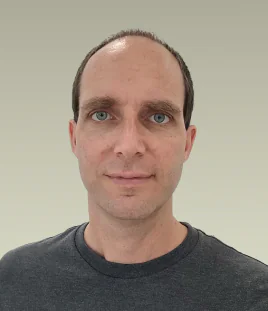
The person behind the project
Freelance developer. Creator of AlignFirst.
I started AlignFirst to help me work with coding agents. It grew from a few prompts into tools we now use every day. They follow a simple principle: agree on what to build before generating the code.
Want to try AlignFirst? My advice is free, and I’m happy to help you get started.
Licenses
AlignFirst’s skills, CLI, Docmap, Workspaces and AlignDev are published under CC0 1.0. The OpenClaw integration plugin and testing packages use the MIT license.
 AlignFirst on GitHub
I wrote prompts to generate specs and plans, and added a documentation index to the agent’s instruction file.
Those prompts became agent skills.
I found a documentation helper in OpenClaw’s codebase and generalized it into what became Docmap.
Workspaces grew out of my effort to turn OpenClaw into a developer using AlignFirst. We now use them daily as human developers, too.
The first version of AlignDev went live: an OpenClaw assistant that works in Discord and Slack.
AlignDev now also works inside a coding agent.
Add the AlignFirst tooling to your project
The setup guide helps you choose and install the tools that fit your project.
Run this command in your terminal. You can install the skill globally or just for this project.
npx skills add https://github.com/paleo/alignfirst --global --skill alignfirst-setup-guideOpen your project with your coding agent and send:
Use your alignfirst-setup-guide skill. What can I set up in this project?Once setup is complete, you can uninstall the guide skill. Your project no longer needs it.