How AlignFirst works

Software engineering with AI.
And humans!

Three independent tools and a teammate.

Get started AlignFirst overviewAlignFirst combines three tools. Workspaces provide isolated Git worktrees for parallel development. Skills and CLI guide a coding agent from specification to plans and execution inside every workspace. Docmap feeds that workflow with the project documentation. AlignFirst Dev Kit for OpenClaw turns an OpenClaw assistant into a developer in Slack or Discord that delegates tasks to Claude Code or Codex.AlignFirstSoftware engineering with AI. And humans!WorkspacesIsolated dev-servers inGit worktrees. The freedomof Conductor or Paseo,without changing your tools./alspec/alplanexecuteSkills & CLIDevelop with a clear flow:spec → plans → execution.Shared work files keepthe team aligned.DocmapA table of contents forthe documentations availableto your coding agents.feature-1feature-2feature-3SPECPLANSEXECUTEdocs/APITech stackGuidesAlignFirst Dev Kit for OpenClawYour OpenClaw assistant🦞in Slack or Discord.Delegate tasks to Claude Code or Codex, work from anywhere,and extend your productive hours. AlignFirst on GitHub

Workspaces

Isolated dev-servers in Git worktrees. The freedom of Conductor or Paseo, without changing your tools.

~/project$ pnpm workspace setup✓ branch   ✓ worktree   ✓ server

Skills & CLI

Develop with a clear flow: spec → plans → execution. Shared work files keep the team aligned.

/alspec/alplanexecute

Docmap

A table of contents for the documentation available to your coding agents.

docs/document-editor/↳ drafts.md

AlignFirst Dev Kit for OpenClaw

An OpenClaw assistant in Slack or Discord that delegates tasks to Claude Code or Codex.

YouOpenClawAgents

Workspaces

The workspace setup command prepares a branch, a worktree and an isolated dev-server. The dev command is made for humans and AI agents alike: it exposes the dev-server logs to the agent through a log file.

Get started
Creating a workspaceA first terminal runs pnpm workspace setup -c ABC-1234/document-preview. The command creates the linked worktree hello-world-ABC-1234-document-preview, reports its branch and path, then finalizes it: installing dependencies, building shared packages, starting containers, migrating and seeding databases, until it prints ready. A second terminal enters the new worktree with cd and runs pnpm dev: the docker containers come up, the api and frontend dev servers start and log their addresses, and the output scrolls until it prints the autologin URL on port 18110 then a Details block with, for the frontend, the api and the database, the address and where to read the logs. Beside the terminals, a static card states what every workspace has: its own branch, worktree, dev-server and database; its own ports, 18100 and following, 18110 and following; its dev-server logs in files the coding agent can read; and the main worktree keeps working as usual. Under the card, a browser window shows the new workspace on port 18110, on its own branch. Once everything is still, a formula appears piece by piece: branch + worktree + isolated server = workspace.dev@laptop: ~/repos/hello-worlddev@laptop:~/repos/hello-world$pnpm workspace setup -c ABC-1234/document-preview$ node scripts/workspace/workspace.mjs setup -c ABC-1234/document-previewWorkspace setup complete!Worktree type: linkedStatus:pendingWorkspace: hello-world-ABC-1234-document-previewBranch:ABC-1234/document-previewPath:~/repos/hello-world-ABC-1234-document-previewWORKSPACE_CREATED path=~/repos/hello-world-ABC-1234-document-previewbranch=ABC-1234/document-previewFinalizing… (0s) — tail: ~/repos/hello-world-ABC-1234-document-preview/.local-wt/logs/workspace-setup.logFinalizing… Installing dependencies (2s) — tail: ~/repos/hello-world-ABC-1234-document-preview/.local-wt/logs/workspace-setup.logFinalizing… Building shared packages (7s) — tail: ~/repos/hello-world-ABC-1234-document-preview/.local-wt/logs/workspace-setup.logFinalizing… Starting containers (12s) — tail: ~/repos/hello-world-ABC-1234-document-preview/.local-wt/logs/workspace-setup.logFinalizing… Migrating and seeding databases (17s) — tail: ~/repos/hello-world-ABC-1234-document-preview/.local-wt/logs/workspace-setup.log… readydev@laptop:~/repos/hello-world$dev@laptop: ~/repos/hello-worlddev@laptop: ~/repos/hello-world-ABC-1234-document-previewdev@laptop:~/repos/hello-world$cd ../hello-world-ABC-1234-document-preview/dev@laptop:~/repos/hello-world-ABC-1234-document-preview$pnpm dev$ node scripts/workspace/dev-server.mjsStarting docker dev server...[+] up 2/2Container hello-world-ABC-1234-document-preview-databaseRunning0.0sContainer hello-world-ABC-1234-document-preview-mailpitRunning0.0sStarting api dev server...Starting frontend dev server...[api]> tsx watch --clear-screen=false src/main.ts[frontend]> vite --port 18110[frontend]VITE v7.1.5ready in 486 ms[frontend]Local:http://localhost:18110/[frontend]Network: use --host to expose[api]Connected to postgres://localhost:18112/hello_world[api]Applied 0 pending migrations[api]Listening onhttp://localhost:18111[api]TSCInitializing type checker...[api]>TSCFound 0 issues.Dev servers started!(workspace: hello-world-ABC-1234-document-preview)Open:autologin:http://localhost:18110/auth/local?email=admin@test.devDetails:frontend:http://localhost:18110/log: .local-wt/logs/frontend.logapi:http://localhost:18111/log: .local-wt/logs/api.logdatabase:localhost:18112/hello_worldlog: docker compose logs -f databaseEvery workspaceIts own branch, worktree, dev-serverand database.Its own ports:18100…, 18110…Its dev-server logs in files the codingagent can read.Habits unchanged: the main worktreeworks as usual.localhost:18110Hello from anisolated workspaceABC-1234/document-previewbranch+worktree+isolated server=workspace

Terminal · your project

$ pnpm workspace setup -c ABC-1234/document-preview

✓ Linked worktree created

hello-world-ABC-1234-document-preview

Finalizing…

Installing dependencies Building shared packages Starting containers Migrating and seeding databases

tail: .local-wt/logs/workspace-setup.log

✓ Workspace ready

Terminal · the new worktree

$ cd ../hello-world-ABC-1234-document-preview
$ pnpm dev

✓ Dev servers started

Frontend
localhost:18110
API
localhost:18111
Database
localhost:18112

branch + worktree + isolated server
workspace

Every workspace

  • Its own branch, worktree, dev-server and database.
  • Its own ports: 18100…, 18110…
  • Its dev-server logs in files the coding agent can read.

Habits unchanged: the main worktree works as usual.

The workspace setup command prepares a branch, a worktree and an isolated dev-server. The dev command is made for humans and AI agents alike: it exposes the dev-server logs to the agent through a log file.

Skills & CLI

Align on the spec together, let the agent plan, then execute the plans in a fresh session.

Get started
From spec to plans to executionA conversation window on branch ABC-1234/document-preview, with you drawn on the left and the agent on the right. A composer at the bottom types each of your messages and waits for you to press Send. First: /alspec New feature: users need to preview draft documents. Two dashed outlines appear under the conversation, what you imagined on the left and what the agent understood on the right. The agent explores the codebase, then asks: Preview saved drafts or unsaved changes too? You answer: Unsaved changes too, without publishing. The exchange continues in fast-forward, and the outlines slide closer at each exchange until they coincide and read Aligned!. You send: We're good. Write the spec. The conversation scrolls, the agent writes A1-spec.md and the folder .plans/ABC-1234/ receives it with a brief highlight. You send /alplan in the same conversation. The agent reads the spec, explores, works on a progress bar, decides to split the work into two sub-plans, and A2-main-plan.md, A3-plan-api.md and A4-plan-frontend.md land in the folder in alphabetical order. You send Execute `.plans/ABC-1234/A2-main-plan.md`: the conversation clears, Session cleared blinks once in the emptied window, then two sub-agents run the sub-plans, api first and frontend once the api is done, and each writes its .summary.md, then the main agent writes A2-main-plan.summary.md; each summary slots in beside its plan. A yellow note stuck to the folder says the work files are shared with the team and can be synced to a plans repository. Beneath, three step labels, spec, plans and execution, separated by a big grey chevron, light up and get a check in turn.Coding agentABC-1234/document-previewyouagent/alspec New feature: users need to preview draft documents.Exploringdocmap document-editor·Grep previewPreview saved drafts or unsaved changes too?Unsaved changes too, without publishing.what you imaginedwhat the agent understoodAligned!We're good. Write the spec.WriteA1-spec.md/alplanReading the spec and exploring the codebase.WorkingThis is sizeable work across two stacks.I'll split it into two sub-plans: api, then frontend.WriteA2-main-plan.md·A3-plan-api.md·A4-plan-frontend.mdThree plans, ready to execute.Session clearedExecute `.plans/ABC-1234/A2-main-plan.md`Following the main plan: two sub-plans, two sub-agents.A3 · apiA4 · frontendAll plans completed..plans/ABC-1234/Can't wait to see some work files!A1-spec.mdA2-main-plan.mdA2-main-plan.summary.mdA3-plan-api.mdA3-plan-api.summary.mdA4-plan-frontend.mdA4-plan-frontend.summary.mdShared with the teamWork files can besynced to a plansrepository, so anyonecan catch up.SpecSpecPlansPlansExecutionExecution

Align on the spec together, let the agent plan, then execute the plans in a fresh session.

Files .plans/ABC-1234/

  • A1-spec.md
  • A2-main-plan.md
  • A2-main-plan.summary.md
  • A3-plan-api.md
  • A3-plan-api.summary.md
  • A4-plan-frontend.md
  • A4-plan-frontend.summary.md

Shared with the team. Work files can be synced to a plans repository, so anyone can catch up.

Coding agent ABC-1234/document-preview

Send the request below to start the conversation.

/alspec New feature: users need to preview draft documents.

We're good. Write the spec.

Writing A1-spec.md.

The shared specification is ready. Next, plan the implementation.

/alplan

Reading the spec and exploring the codebase.

This is sizeable work across two stacks. I'll split it into two sub-plans: api, then frontend.

The main plan and both sub-plans are ready.

Session cleared

Execute `.plans/ABC-1234/A2-main-plan.md`

Following the main plan.

The api sub-agent runs first, then the frontend sub-agent. Each writes its summary.

✓ All plans completed.

Our main workflow SpecPlansExecution

Docmap

The agent discovers the documentation structure, then reads the relevant page.

Get started
Discovering project documentationThe demonstration opens on the footprint alone: a line stating that Docmap’s whole footprint in your project is one section of AGENTS.md, or CLAUDE.md, the excerpt of that section in the middle of an otherwise empty screen, and a control that hands the screen over to the agent. Once asked, the excerpt returns to the top and the rest of the scene arrives around it. An AGENTS.md excerpt instructs the agent: Before investigating code, run npx -y alignfirst docmap and read the relevant documentation. A static file tree stands in the first column on the left, showing docs with document-editor expanded. A caret blinks in the empty composer, then the request New feature: users need to preview draft documents is typed in four word groups. Playback waits for the visitor to press Send. The composer empties and the request appears at the top of the standalone conversation on branch ABC-1234/document-preview. The agent runs npx -y alignfirst docmap. Docmap answers at once, so the call arrives already done and its simplified output lands beside it, in the first panel on the right, listing documentation directories and code-style.md. The command lights up in the same colour in both the AGENTS.md excerpt and the call, and the panel's index 1 lights in its own colour together with the 1 on the call it answers, long enough to pair them. The agent then runs npx -y alignfirst docmap document-editor, which lights document-editor in one colour in three places at once: the call, the file tree and that first output panel. A second output panel lands with it, lighting its index 2 with the call's own 2 the same way, and lists document-format.md, drafts.md and lifecycle.md, including the summary How drafts are saved and versioned. The agent finally reads docs/document-editor/drafts.md, lighting that path in one colour in both the second panel and the Read, then says it will look at how drafts are rendered in the code. The conversation scrolls the request out of sight to make room. A last line holds nothing but an ellipsis, the conversation settles once more, and the demonstration ends there, on work that carries on.Docmap’s whole footprint in your projectis one section ofAGENTS.md(orCLAUDE.md).Filesdocs/architecture/data/document-editor/document-format.mddrafts.mdlifecycle.mdoperations/testing/code-style.mdAGENTS.mdAGENTS.md## Docmap — Seek DocumentationBefore investigating code, run`npx -y alignfirst docmap`andread the relevant documentation.AgentABC-1234/document-previewYouNew feature: users need to preview draft documents.Bash1npx -y alignfirst docmapBash2npx -y alignfirst docmap document-editorReaddocs/document-editor/drafts.mdNow let me look at how drafts are rendered in the code.1Bash output · docs/# Documentation## Sub-directories- architecture/- data/- document-editor/- operations/- testing/- docs/code-style.md — Code style — Codingstandards and formatting rules.2Bash output · docs/document-editor/# document-editor/- docs/document-editor/document-format.md — Format- docs/document-editor/drafts.md — DraftsHow drafts are saved and versioned.- docs/document-editor/lifecycle.md — Lifecycle

Docmap’s whole footprint in your project is one section of AGENTS.md (or CLAUDE.md).

AGENTS.md

## Docmap — Seek Documentation

Before investigating code, run `npx -y alignfirst docmap` and read the relevant documentation.

Files your project

  • docs/
  • architecture/
  • document-editor/
  • document-format.md
  • drafts.md
  • lifecycle.md
  • code-style.md
  • AGENTS.md

Agent ABC-1234/document-preview

Send the request below to see how the agent finds its documentation.

New feature: users need to preview draft documents.

✓ 1 · Explore the documentation

npx -y alignfirst docmap

✓ 2 · Find the relevant topic

npx -y alignfirst docmap document-editor

✓ 3 · Read the documentation

docs/document-editor/drafts.md

Now let me look at how drafts are rendered in the code.

Three lines in AGENTS.md, and the agent discovers the documentation structure on its own, then reads the relevant page.

AlignFirst Dev Kit for OpenClaw AI developer

More than a tool. A partner.

Get started

Your OpenClaw developer

It delegates the code

As a modern developer, it delegates pretty much everything to Claude Code or Codex.

It keeps work isolated

It works cleanly in worktrees and branches.

It checks the real thing

For UI changes in a web project, it tests in the browser, monitors development server logs, and requests corrections if needed. It keeps screenshots before opening a draft PR.

It reviews your code

The agent can review code on a GitHub PR or a GitLab MR.

In Slack and Discord

This is an OpenClaw instance that uses a VPS as a workstation. OpenClaw communicates in Slack or Discord.

You

You can work on the move

An intermittent connection can be enough to work on some tasks, for example on a train. Some of the work can also be done from a phone.

You can try it yourself

OpenClaw exposes the local dev-servers of the web applications it is working on. So you can try out a new feature yourself.

You can build without coding

OpenClaw can handle tickets from start to finish when they do not require a major design decision.

You can ask anything about the code

Asking questions about the codebase becomes easy for everyone.

You can call it a day

A human developer can prepare the plans in the afternoon and entrust their execution to OpenClaw before leaving.

Notes around the board

A developer at heart

Built by a developer, for developers and their teams.

A taste of next year

In 2027, it will become obvious to everyone that this is how a developer should work. OpenClaw lets you experience it ahead of time.

About AlignFirst

Get started
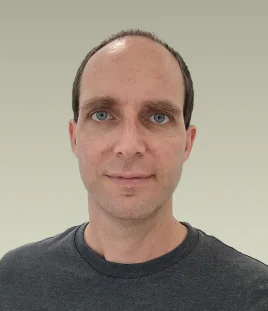
Thomas MUR

The person behind the project

Thomas MUR

Freelance developer. Creator of AlignFirst.

I started AlignFirst to help me work with coding agents. It grew from a few prompts into the tools my team uses every day, built around a simple idea: agree on what to build before generating the code.

Want to try AlignFirst? My advice is free, and I’m happy to help you get started.

Licenses

Open source

AlignFirst’s skills, CLI, Docmap and Workspaces are published under CC0 1.0. The OpenClaw integration plugin and testing packages use the MIT license.

AlignFirst on GitHub

Built through daily use

  1. The first prompts

    I wrote prompts to generate specs and plans, and added a documentation index to the agent’s instruction file.

  2. From prompts to skills

    Those prompts became agent skills.

  3. Docmap

    I found a documentation helper in OpenClaw’s codebase and generalized it into what became Docmap.

  4. Workspaces

    Workspaces grew out of my effort to turn OpenClaw into a developer using AlignFirst. We now use them daily as human developers, too.

  5. A teammate in Discord and Slack

    In July, I began using the AlignFirst Dev Kit for OpenClaw for personal projects. Since August, it has been running in KHOME’s Slack for evaluation.

Get started

From the demo to your project

Set up AlignFirst
with your agent.

The setup guide helps you choose and install the tools that fit your project.

  1. Install the setup skill

    Run this command in your terminal. You can install the skill globally or just for this project.

    npx skills add https://github.com/paleo/alignfirst --skill alignfirst-setup-guide
  2. Ask your agent

    Open your project with your coding agent and send:

    Use your alignfirst-setup-guide skill. What can I set up in this project?

Once setup is complete, you can uninstall the guide skill. Your project no longer needs it.